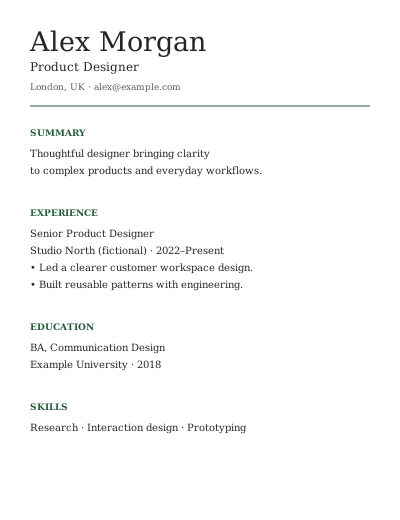
The Classic
Traditional serif typography and familiar headings for a restrained, conventional presentation.
Single column · A4 / Letter · Free PDF export
Use this template — sign in free ResumeFree.
GOOD WORK, CLEARLY PRESENTED
Choose from free resume templates, make the content your own and export your resume as a PDF. The builder, template choices, PDF export and removable attribution are free. Free Funtoolio sign-in is required to create and download. No card, trial or payment at the finish line.
These are customizable browser templates with PDF export and editable ResumeFree JSON backups. Word (DOCX) and Google Docs template files are not included.
Traditional serif typography and familiar headings for a restrained, conventional presentation.
Single column · A4 / Letter · Free PDF export
Use this template — sign in free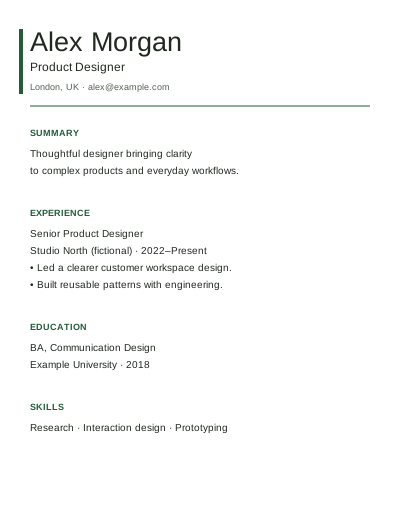
A clean heading treatment and open spacing for contemporary applications.
Single column · A4 / Letter · Free PDF export
Use this template — sign in free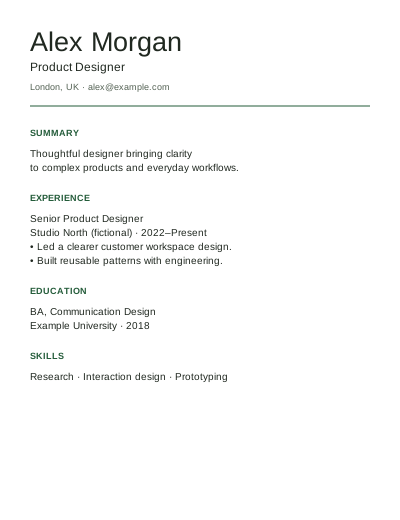
Tighter section spacing for a concise resume. It never hides content or forces arbitrary text onto one page.
Single column · A4 / Letter · Free PDF export
Use this template — sign in free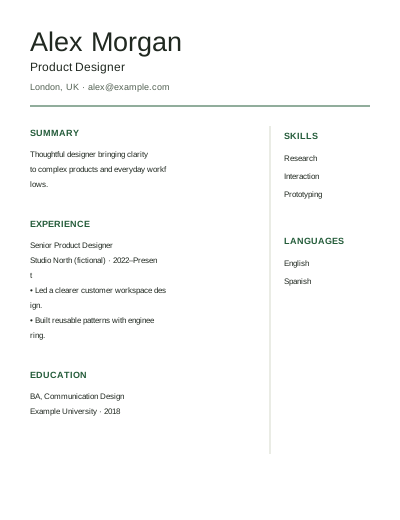
EXPERIMENTAL PREVIEW
A main story column with a skills/languages sidebar. Reading order and continuation pages still need verification, so exports are limited to the three single-column templates.
Preview Elegant — sign in free| Template | Good starting point | Density | Export status |
|---|---|---|---|
| Classic | A conventional, easy-to-scan application | Balanced | Free, single column |
| Modern | A contemporary presentation with clear section breaks | Open | Free, single column |
| Compact | A concise resume with less space between entries | Higher; no forced shrink-to-fit | Free, single column |
| Elegant | Exploring a visual sidebar | Two columns | Preview only |
Single-column layouts are the recommended starting point for automated job applications. No template is certified for every applicant tracking system. See how to choose an ATS-friendly resume template and check the fields extracted by the employer’s application form.
Switching layouts keeps your resume content. Choose typography defaults deliberately if you want a template’s suggested font and spacing. Save a resume-data.json backup to keep an editable copy you can import in another browser; a PDF is the finished application document.
Yes. Classic, Modern and Compact share the free editor/export workflow. Elegant is a preview, with export unavailable until its layout checks pass. There is no paid template gate in this release.
Yes. Sign in with a free Funtoolio account, customize your resume and export without paying. There is no card, trial, subscription or download fee.
Yes, before creating or downloading. Browsing these examples and guides does not require sign-in.
No. The supported formats are PDF output and ResumeFree JSON backups. A JSON backup is intended for this builder, not a Word processor.
Resume content is processed locally. Identity/session records and feedback you deliberately submit are separate server data. See Privacy for the full distinction.